Soju is a free, open-source app that installs the official Windows game launchers on Apple Silicon Macs.
Overwatch 2 on Mac
Plays
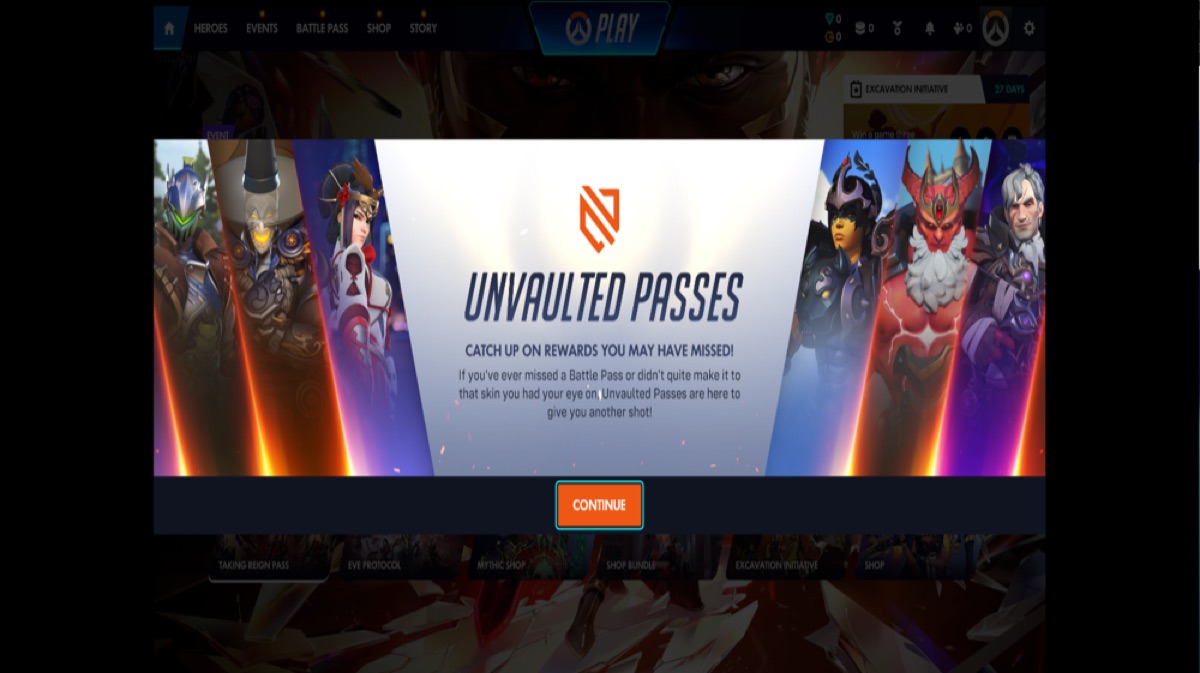
Reached the main menu signed in and online on an M4 Pro with macOS 26.5, drawn with D3DMetal (Apple's Game Porting Toolkit). It needs Apple's AMD and NVIDIA driver shims (atidxx64.dll, nvapi64.dll) from the toolkit; without them it stops at start with "General Error (0xE0010110)". soju update adds them. Blizzard asks for a phone number on the Battle.net account before the free install. It plays online. The Steam edition also reaches the main menu online, with Steam set to Apple GPTK (soju steam-gptk on); Steam asks once to connect a Battle.net account.

Linux (Proton) reference: 755 of 870 player reports from the last two years say it runs (ProtonDB, as of 2026-11-02, ODbL).
| Launcher | Battle.net |
|---|---|
| Status | Plays |
| Date | Run on 2026-11-11, M4 Pro with macOS 26.5 |
How to try it with Soju
brew install BCD1210/soju/soju
soju install          # choose Battle.net
soju battlenet     # sign in, install the game, press Play
Or download the Soju app and add Battle.net under Platforms. Needs an Apple Silicon Mac (M1 or newer) and macOS 14 or later.
What you need
| Item | Detail |
|---|---|
| Mac | Apple Silicon. Checked on an M4 Pro with macOS 26.5; other Macs are untested. |
| Account | A Battle.net account with a phone number on it. Blizzard asks for one before the free install; add it at account.battle.net under Security. |
| Apple's Game Porting Toolkit | All of Apple's shims, including atidxx64.dll and nvapi64.dll. Soju 1.13.0 adds them with soju update; soju doctor says if they are missing. |
| Disk | About 85 GB for the game, as Battle.net reported it. |
What we checked
- Battle.net installed the game after the phone number was added to the account.
- Without the shims the game stopped with General Error (0xE0010110). With them it loaded, signed in and showed the main menu online, with the season and pass screens.
- Diablo II: Resurrected still reached its title screen on the same engine after the change.
What we did not check
- Frame rate in play, or voice chat.
- Long sessions.
- Other Macs and macOS versions.
Playing on your Mac? Turn on Show FPS in games under Platforms and tell us the number in #compatibility on Discord or in a compatibility report; it goes on the Overwatch 2 page.
Tried it? Tell us in #compatibility on Discord or send a compatibility report and this page gets updated.
Questions
Does Overwatch 2 run on an Apple Silicon Mac?
Plays. Reached the main menu signed in and online on an M4 Pro with macOS 26.5, drawn with D3DMetal (Apple's Game Porting Toolkit). It needs Apple's AMD and NVIDIA driver shims (atidxx64.dll, nvapi64.dll) from the toolkit; without them it stops at start with "General Error (0xE0010110)". soju update adds them. Blizzard asks for a phone number on the Battle.net account before the free install. It plays online. The Steam edition also reaches the main menu online, with Steam set to Apple GPTK (soju steam-gptk on); Steam asks once to connect a Battle.net account.
How do I install Overwatch 2 on a Mac?
Install the Windows Battle.net with Soju, a free open-source app, sign in, then install the game and press Play.