Soju is a free, open-source app that installs the official Windows game launchers on Apple Silicon Macs.
Diablo IV on Mac
Plays
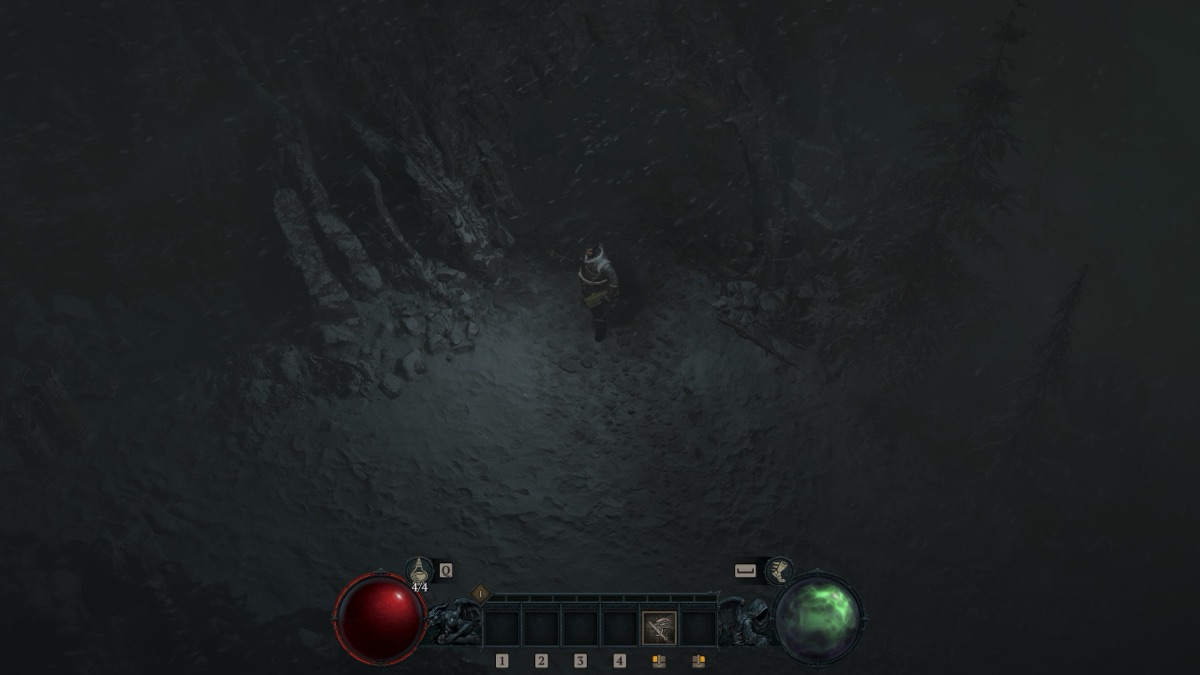
Played with Blizzard's free trial on an M4 Pro with macOS 26.5: the opening cinematic played, a character was created and the game loaded into the first area, where the character moved. Direct3D 12 through Apple's D3DMetal. Battle.net asked for 97.4 GB without High-Resolution Assets (181 GB with them), and Play turned on at about 73 percent of the download. On 2026-11-12 it held 50 fps at 3440×1440 with default settings for 10 minutes of walking in the first area and stayed open for 22 minutes, running from an external USB drive. Sound by ear, combat and longer sessions were not checked.

Linux (Proton) reference: 152 of 189 player reports from the last two years say it runs (ProtonDB, as of 2026-11-02, ODbL).
| Launcher | Battle.net |
|---|---|
| Status | Plays |
| Date | Run on 2026-11-11, M4 Pro with macOS 26.5 |
How to try it with Soju
brew install BCD1210/soju/soju
soju install          # choose Battle.net
soju battlenet     # sign in, install the game, press Play
Or download the Soju app and add Battle.net under Platforms. Needs an Apple Silicon Mac (M1 or newer) and macOS 14 or later.
What you need
| Item | Detail |
|---|---|
| Mac | Apple Silicon. Checked on an M4 Pro with macOS 26.5; other Macs are untested. |
| Account | A Battle.net account. The free trial needs no purchase; Blizzard sets its level cap and how long it is offered. |
| Apple's Game Porting Toolkit | Soju downloads it during setup. soju doctor says if anything is missing. |
| Disk | 97.4 GB without High-Resolution Assets, 181 GB with them, as Battle.net reported it. Untick High-Resolution Assets on the install screen to save the space. |
What we checked
- Battle.net installed the trial and started the game.
- The setup screens, the opening cinematic with subtitles, class selection and character creation all drew correctly.
- The game loaded into the first area (Icehowl Taiga) with the interface, minimap and quest shown, and the character moved.
- Frame rate: a steady 50 fps at 3440×1440 with the default settings while walking around the first area for 10 minutes (Apple's Metal HUD,
soju fps on). The character screen ran at 44 fps. No freeze in that time, and the game stayed open for 22 minutes. - It runs from an external drive: installed on a USB SSD (exFAT) with
soju storage place, started from there, and moved to the Mac and back (96.2 GB, about 10 minutes each way).
What we did not check
- Sound by ear (the game opened an audio output, but nobody listened), combat, and sessions longer than about 20 minutes.
- Playing with other people, and the full game beyond the trial.
- Other Macs and macOS versions.
Played further on your Mac? Turn on Show FPS in the game's sheet in Soju and tell us the number in #compatibility on Discord or in a compatibility report; it goes on the Diablo IV page.
Tried it? Tell us in #compatibility on Discord or send a compatibility report and this page gets updated.
Questions
Does Diablo IV run on an Apple Silicon Mac?
Plays. Played with Blizzard's free trial on an M4 Pro with macOS 26.5: the opening cinematic played, a character was created and the game loaded into the first area, where the character moved. Direct3D 12 through Apple's D3DMetal. Battle.net asked for 97.4 GB without High-Resolution Assets (181 GB with them), and Play turned on at about 73 percent of the download. On 2026-11-12 it held 50 fps at 3440×1440 with default settings for 10 minutes of walking in the first area and stayed open for 22 minutes, running from an external USB drive. Sound by ear, combat and longer sessions were not checked.
How do I install Diablo IV on a Mac?
Install the Windows Battle.net with Soju, a free open-source app, sign in, then install the game and press Play.